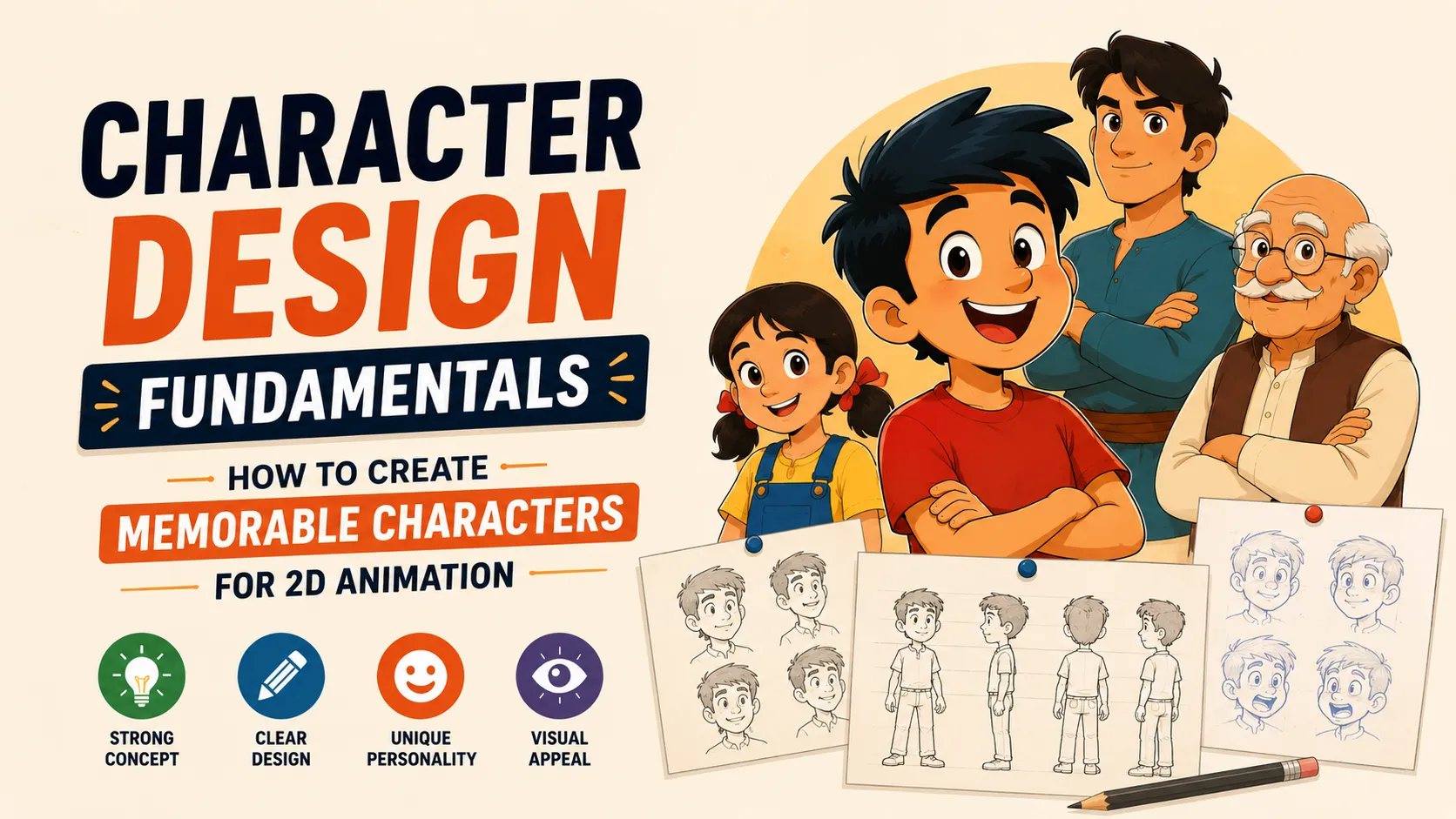
A great animated character is more than a good-looking drawing.
Before a character speaks, moves, or shows an expression, the audience has already started making assumptions about them.
Are they friendly or intimidating?
Strong or weak?
Funny or serious?
Young or old?
Confident or nervous?
Good character design communicates these things visually.
That is why learning character design fundamentals is so important for anyone interested in 2D animation.
You don't need complicated details, realistic anatomy, or an advanced drawing style to create a memorable character.
You need to understand shape, silhouette, proportion, personality, pose, expression, color, and visual storytelling.
In this guide, we'll break down the fundamentals of character design and explain how to use them when designing characters for 2D animation.
What Is Character Design?
Character design is the process of creating the visual identity of a character.
It includes decisions about:
- Body shape
- Proportions
- Silhouette
- Facial features
- Hair
- Clothing
- Color
- Accessories
- Poses
- Expressions
- Personality
- Age
- Role in the story
But character design isn't simply about making a character look attractive.
The real goal is:
Make the character visually communicate who they are.
A strong character design should tell the audience something before the character even says a word.
For animation, there's another important requirement:
The character needs to be designed for movement.
A beautiful illustration can still be a poor animation character if the design is too complicated, inconsistent, or difficult to pose.
Why Character Design Matters in 2D Animation
In animation, characters appear repeatedly across different shots, poses, expressions, and camera angles.
That means the design needs to be:
Recognizable + Consistent + Expressive + Animatable
A strong design helps the animator maintain the character's identity throughout the animation.
Good character design also creates an emotional connection with the audience.
The audience doesn't simply see a collection of shapes.
They see a personality.
Animation character-design teaching material from D'Source emphasizes attributes, proportions, shapes, volumes, poses, expressions, and consistency as important parts of the design process.
The 10 Fundamental Principles of Character Design
There isn't one universally defined list of "character design principles" in the same way there is a classic list of 12 animation principles.
However, a practical character-design foundation can be built around these ten areas:
- Character Concept
- Shape Language
- Silhouette
- Proportion
- Anatomy and Construction
- Pose and Gesture
- Facial Features and Expressions
- Costume and Accessories
- Color and Value
- Simplicity, Consistency and Appeal
Let's understand each one.
1. Start With Character Concept
Before drawing the character, understand who the character is.
This is one of the biggest differences between drawing a character and designing a character.
Instead of immediately drawing a cool-looking person, first define the character.
Ask:
Who are they?
Are they:
- A student?
- A detective?
- A superhero?
- A scientist?
- A villain?
- A shopkeeper?
- A child?
- A robot?
What is their personality?
Are they:
- Confident?
- Shy?
- Funny?
- Intelligent?
- Aggressive?
- Friendly?
- Lazy?
- Curious?
What is their role?
Are they:
- The protagonist?
- The antagonist?
- The mentor?
- The comic relief?
- The sidekick?
What is their world?
A character living in:
- A futuristic city
- A fantasy kingdom
- A modern office
- A village
- Outer space
will require completely different visual choices.
Character Design Starts With Story
A useful character-design process begins with the story and behavior, not the final rendering.
For example:
Imagine you need to design a character who is an extremely confident detective.
Instead of randomly designing clothes, think about how confidence could appear visually.
Maybe the character has:
- Upright posture
- Broad shoulders
- Controlled gestures
- Clean clothing
- Strong silhouette
- Focused eyes
- Minimal but distinctive accessories
Now the design decisions have a reason.
Story → Personality → Visual Design
That's the foundation of intentional character design.
2. Shape Language
One of the most important character design fundamentals is shape language.
Shape language means using shapes to communicate personality, emotion, role, or visual identity.
The three basic shapes commonly used as a starting point are:
Circle
Often suggests qualities such as:
- Friendly
- Soft
- Cute
- Innocent
- Safe
- Playful
Square
Often suggests:
- Strength
- Stability
- Reliability
- Power
- Structure
- Confidence
Triangle
Often suggests:
- Danger
- Aggression
- Speed
- Sharpness
- Intelligence
- Unpredictability
These associations aren't absolute rules. They are visual conventions that designers can use, combine, or deliberately break.
Shape language is especially powerful because it communicates before details are added.
Combining Shapes
Good character designs don't have to use only one shape.
You can combine them.
For example:
Round head + square body
could communicate:
Friendly + strong.
Or:
Triangular body + sharp facial features
could communicate:
Dangerous + aggressive.
This is where character design becomes interesting.
You aren't just drawing shapes.
You're using shapes to build a personality.
3. Silhouette
If there is one character-design test every beginner should learn, it's the silhouette test.
Take your character.
Remove:
- Color
- Facial details
- Clothing details
- Texture
- Shading
Fill the entire character with black.
Now ask:
Can I still recognize the character?
If yes, you have a strong silhouette.
A strong silhouette makes a character recognizable even when details aren't visible. This is widely used as a practical test for character readability.
Why Silhouette Is Important
Imagine two characters standing next to each other.
If both have:
- Similar body shapes
- Similar hairstyles
- Similar clothing
- Similar proportions
they may become difficult to distinguish.
But if one character has:
- Large round hair
- Wide shoulders
- Long coat
and another has:
- Small head
- Thin body
- Large backpack
their silhouettes become immediately different.
The Thumbnail Test
Make your character very small.
If the character still reads clearly at thumbnail size, the overall design is probably strong.
This is especially important for animation because characters may appear:
- Far from the camera
- In crowded scenes
- Against complex backgrounds
- During fast movement
A good silhouette survives all of these situations.
4. Proportion
Proportion describes the relationship between the sizes of different parts of a character.
For example:
- Head compared to body
- Hands compared to arms
- Legs compared to torso
- Eyes compared to face
- Feet compared to body
Changing proportions can completely change the personality of a character.
Realistic Proportions
A realistic character might have relatively natural body proportions.
This can work well for:
- Drama
- Realistic animation
- Serious stories
- Grounded characters
Exaggerated Proportions
Stylized characters often exaggerate proportions.
For example:
Large head + small body
can create a cute or youthful appearance.
Large hands + small head
can make a character feel powerful or visually expressive.
Long legs + small torso
can create an elegant or stylized appearance.
The important point is:
Proportion is a storytelling tool.
Animation design education also emphasizes proportion in relation to the character's world and notes that exaggerating proportions can help stylization and animation.
5. Anatomy and Construction
You don't need to create anatomically realistic characters.
But you do need to understand how the body is constructed.
Even highly stylized characters are easier to animate when the artist understands:
- Head
- Rib cage
- Pelvis
- Spine
- Shoulders
- Arms
- Hands
- Legs
- Feet
Think of the body as a collection of simple forms.
For example:
Head → Sphere
Chest → Box / Oval
Pelvis → Box / Bowl
Arms → Cylinders
Legs → Cylinders
Hands → Simplified shapes
This approach helps you rotate and pose the character without losing structure.
Why Construction Matters for Animation
A character doesn't stay in one pose.
They:
- Walk
- Run
- Sit
- Jump
- Turn
- Bend
- Fall
- Fight
- Dance
- React
If you don't understand the underlying structure, the character can change shape from one frame to another.
That creates inconsistency.
Strong construction helps the character remain recognizable across different poses.
6. Pose and Gesture
A character's personality isn't only visible in their face.
It is visible in their entire body.
This is where gesture and posing become important.
Imagine two characters standing.
Character A
Straight back.
Chest forward.
Feet apart.
Head high.
Character B
Shoulders down.
Head lowered.
Back curved.
Hands close to body.
Even without facial expressions, you can probably guess that they have different personalities or emotional states.
That's the power of posing.
The Line of Action
The line of action is an imaginary line running through the main flow of a character's pose.
It helps create:
- Energy
- Direction
- Emotion
- Movement
- Balance
A stiff vertical pose can feel static.
A strong curved or diagonal line can make a pose feel energetic.
Line of action is particularly important when designing characters for animation because it connects design with movement.
7. Facial Features and Expressions
A character's face is one of the strongest tools for communicating emotion.
But beginners often make the mistake of focusing only on individual facial features.
Instead, think about the entire face as a system.
When a character is:
Happy
The eyes, cheeks, mouth, eyebrows, and head position can all contribute.
When a character is:
Angry
The eyebrows, eyes, mouth, jaw, and posture can work together.
When a character is:
Scared
The eyes may widen, the eyebrows rise, and the mouth may open.
The important thing is that the expression should communicate the emotion clearly.
Exaggeration in Facial Design
Animation often benefits from exaggerated expressions.
A subtle real-life reaction can become much more readable when exaggerated.
For example:
Slight surprise → Huge eyes + raised eyebrows + open mouth
This doesn't mean every expression should be extreme.
The style of the project determines the amount of exaggeration.
8. Costume and Accessories
Clothing should not be treated as decoration added at the end.
Costume can communicate:
- Profession
- Age
- Culture
- Personality
- Social status
- Time period
- Environment
- Story
- Lifestyle
Imagine two characters.
One wears:
Formal suit + polished shoes + watch
Another wears:
Oversized hoodie + sneakers + backpack
Even without dialogue, the audience starts building assumptions about them.
Accessories Can Tell Stories
Small details can communicate a surprising amount.
A character might have:
- Glasses
- A watch
- A necklace
- A backpack
- A scar
- A hat
- A tool
- A notebook
- A camera
The best details are usually purposeful.
Don't add details simply because the character looks empty.
Ask:
What does this detail tell us about the character?
9. Color and Value
Color is another powerful character-design tool.
A character's palette can help communicate:
- Personality
- Mood
- Role
- Environment
- Story
- Visual identity
For example, a warm palette may feel energetic or friendly, while a darker or more muted palette may feel serious or mysterious.
But color should not be the only thing making a character recognizable.
A strong design should still work in grayscale.
Think About Value
Value means how light or dark something is.
Good value separation helps important areas stand out.
For example:
- Face against dark hair
- Hands against clothing
- Character against background
This improves readability.
10. Simplicity and Detail
One of the biggest misconceptions about character design is:
More detail = better character.
Not necessarily.
Too many details can make a character:
- Difficult to animate
- Difficult to draw consistently
- Visually noisy
- Difficult to recognize
- Hard to read at small sizes
A simpler design can actually be stronger.
Detail Hierarchy
Think about details in three levels.
Primary Shapes
The overall body and silhouette.
Secondary Shapes
Hair, clothing, major accessories.
Tertiary Details
Small buttons, patterns, stitching, textures, tiny accessories.
Always solve the primary shapes first.
If the character doesn't work without tertiary details, the design probably needs improvement.
Designing Characters for Animation
A character illustration and an animation character are not always the same thing.
When designing for animation, ask:
Can the character move?
Can the arms bend?
Can the legs move naturally?
Can the character turn?
Can the face change expressions?
Can the clothing deform?
Can the character be drawn consistently?
Avoid Unnecessary Complexity
Imagine a character covered in:
- Tiny patterns
- Complicated accessories
- Multiple layers of clothing
- Intricate hair
- Detailed jewelry
It might look impressive in one illustration.
But animating it frame by frame can become extremely time-consuming.
Good animation character design balances:
Visual appeal + Production practicality
Character Design Readability
A good character should be readable at different levels.
Level 1 — Silhouette
Can you identify the character from the outline?
Level 2 — Proportion
Can you distinguish them from other characters?
Level 3 — Shape Language
Does the design communicate personality?
Level 4 — Color
Does the palette strengthen the identity?
Level 5 — Details
Do the small elements add story and personality?
This creates a strong design hierarchy.
Character Contrast
If you're designing multiple characters, don't make everyone look similar.
Use contrast.
You can vary:
- Height
- Width
- Shape
- Proportion
- Color
- Costume
- Hair
- Posture
- Silhouette
For example:
Tall + thin
vs.
Short + wide
or:
Round + soft
vs.
Sharp + angular
Contrast makes the cast easier to understand.
It also creates visual interest when characters appear together.
Character Personality Through Design
One of the most powerful goals of character design is making the personality visible.
Consider a confident character.
You could communicate confidence through:
- Upright posture
- Broad silhouette
- Controlled expression
- Strong shapes
- Clean costume
- Deliberate gestures
Now consider a nervous character.
You might use:
- Smaller posture
- Rounded shoulders
- Hands close to the body
- Uneven stance
- Smaller gestures
- Tighter silhouette
The character's personality becomes part of the design itself.
A Simple Character Design Process
If you're designing your first character, don't start with the final artwork.
Follow a simple process.
Step 1 — Define the Character
Write down:
- Name
- Age
- Personality
- Role
- Goals
- Strengths
- Weaknesses
Step 2 — Collect References
Study:
- Clothing
- Hairstyles
- Body types
- Facial features
- Real-world objects
- Architecture
- Animals
- Art styles
Reference doesn't mean copying.
It means understanding visual possibilities.
Step 3 — Create Shape Experiments
Try different combinations of:
Circles + Squares + Triangles
Don't worry about details.
Focus on the overall design.
Step 4 — Create Silhouette Thumbnails
Draw many tiny versions.
Try:
10–20 different silhouettes
Don't polish them.
Look for the strongest idea.
Step 5 — Explore Proportions
Experiment with:
- Head size
- Body size
- Arm length
- Leg length
- Shoulder width
- Hand size
Small changes can completely change the personality.
Step 6 — Choose the Strongest Design
Select the character with the clearest:
- Personality
- Silhouette
- Shape language
- Proportion
- Story
Step 7 — Add Costume and Details
Now add clothing, accessories, hairstyle, and other details.
Step 8 — Add Color
Create a limited color palette.
Don't use too many colors without a reason.
Step 9 — Test the Character
Check:
Silhouette
Thumbnail
Grayscale
Different poses
Different expressions
Different angles
Step 10 — Create a Model Sheet
A model sheet helps maintain character consistency.
It can include:
- Front view
- Side view
- Back view
- 3/4 view
- Facial expressions
- Important poses
- Color palette
- Character proportions
For animation, this becomes an important visual reference.
The Character Design Test
Before finalizing your character, ask these questions:
Silhouette
Can I recognize the character as a black shape?
Personality
Can I understand something about the character without dialogue?
Proportion
Do the proportions support the character's personality?
Shape Language
Do the shapes communicate the intended feeling?
Pose
Does the character have a recognizable attitude?
Expression
Can the face communicate emotion clearly?
Color
Does the palette support the character?
Animation
Can this character actually move?
Consistency
Can I draw the character repeatedly without changing their identity?
Appeal
Would I remember this character after seeing them once?
If the answer is yes to most of these, you're on the right track.
Common Character Design Mistakes
Mistake 1: Starting With Details
Don't spend an hour designing buttons before solving the silhouette.
Fix: Start big and simple.
Mistake 2: Making Everything Symmetrical
Perfect symmetry can make characters feel static.
Use asymmetry intentionally to add personality.
Mistake 3: Using the Same Shape Everywhere
If the head, body, hands, shoes, and clothing all use identical shapes, the design can become boring.
Create contrast.
Mistake 4: Making Every Character Look the Same
Different characters should have different visual identities.
Change:
- Shape
- Scale
- Proportion
- Color
- Costume
- Pose
Mistake 5: Overcomplicating the Design
A complicated character isn't necessarily a better character.
Remember:
Clarity beats complexity.
Mistake 6: Designing Without Animation in Mind
A character may look great in one pose but fail when animated.
Always test movement early.
Character Design vs Character Drawing
These two things are related but different.
Character Drawing
Focuses on:
- Drawing technique
- Anatomy
- Rendering
- Perspective
- Shading
Character Design
Focuses on:
- Personality
- Visual identity
- Shape
- Silhouette
- Proportion
- Color
- Story
- Readability
You can be an excellent artist and still create a weak character design.
And you can create a simple character with limited rendering that has an extremely strong design.
Design is about making intentional visual decisions.
The Most Important Character Design Principle
If you remember only one thing from this article, remember this:
Every visual choice should have a reason.
Don't make the character's head huge because it looks cool.
Ask why.
Maybe it makes them look young.
Don't give them a triangular silhouette just because it looks interesting.
Ask why.
Maybe it communicates danger.
Don't give them a red jacket just because red looks good.
Ask why.
Maybe it represents their energetic personality.
When every choice has a purpose, the character starts feeling designed rather than decorated.
Final Thoughts
Great character design isn't about adding more detail.
It's about making better decisions.
A memorable character usually starts with a strong concept and becomes clearer through:
Shape → Silhouette → Proportion → Construction → Pose → Expression → Costume → Color → Detail
For 2D animation, there's one additional question:
Can this design come alive?
The best animation characters aren't just beautiful illustrations.
They're characters that are:
Easy to recognize.
Easy to understand.
Easy to pose.
Easy to animate.
And most importantly—
easy for the audience to remember.
Once you understand these character design fundamentals, you can start creating characters that communicate personality before they even speak.
That's the real power of character design.
Frequently Asked Questions About Character Design Fundamentals
What are character design fundamentals?
Character design fundamentals are the basic principles used to create clear, memorable, expressive, and functional characters. They include concept, shape language, silhouette, proportion, anatomy, posing, expressions, costume, color, simplicity, and visual storytelling.
What is the most important part of character design?
Silhouette, shape language, and overall concept are among the most important foundations. A strong character should be recognizable and communicate something about its personality even before small details are added.
What is shape language in character design?
Shape language is the use of visual shapes to communicate personality and characteristics. Rounded shapes often suggest softness or friendliness, squares can suggest strength or stability, while triangular forms can suggest sharpness, danger, or energy. These are conventions rather than strict rules.
What is a character silhouette?
A character silhouette is the character's outer shape viewed without internal details, color, or texture. A strong silhouette allows the character to remain recognizable through its overall shape.
Why is proportion important in character design?
Proportion determines the relationship between different parts of a character's body. Changing proportions can communicate age, strength, personality, style, and exaggeration. It also affects how easily a character can be posed and animated.
Do I need to know anatomy to design characters?
You don't need advanced realistic anatomy, but understanding basic body construction, proportions, and volumes is extremely useful. It helps you create consistent characters that can move through different poses.
How do you design a character for 2D animation?
Start with the character's story and personality, develop shape language and silhouette, establish proportions and construction, then add facial features, costume, color, and details. Finally, test the design in different poses and angles and create a model sheet for consistency.
How do I make a character memorable?
Focus on a distinctive silhouette, clear shape language, strong proportions, recognizable features, purposeful color, and a personality that is visible through the design. Avoid unnecessary details that don't contribute to the character's identity.
What is the difference between character design and character illustration?
Character illustration focuses primarily on creating a finished visual image, while character design focuses on developing the character's visual identity, personality, structure, proportions, and functionality across different poses and situations.
Can simple characters have good character design?
Absolutely. Simplicity can actually improve readability and memorability. The goal is not to add as much detail as possible but to make every major visual choice intentional.