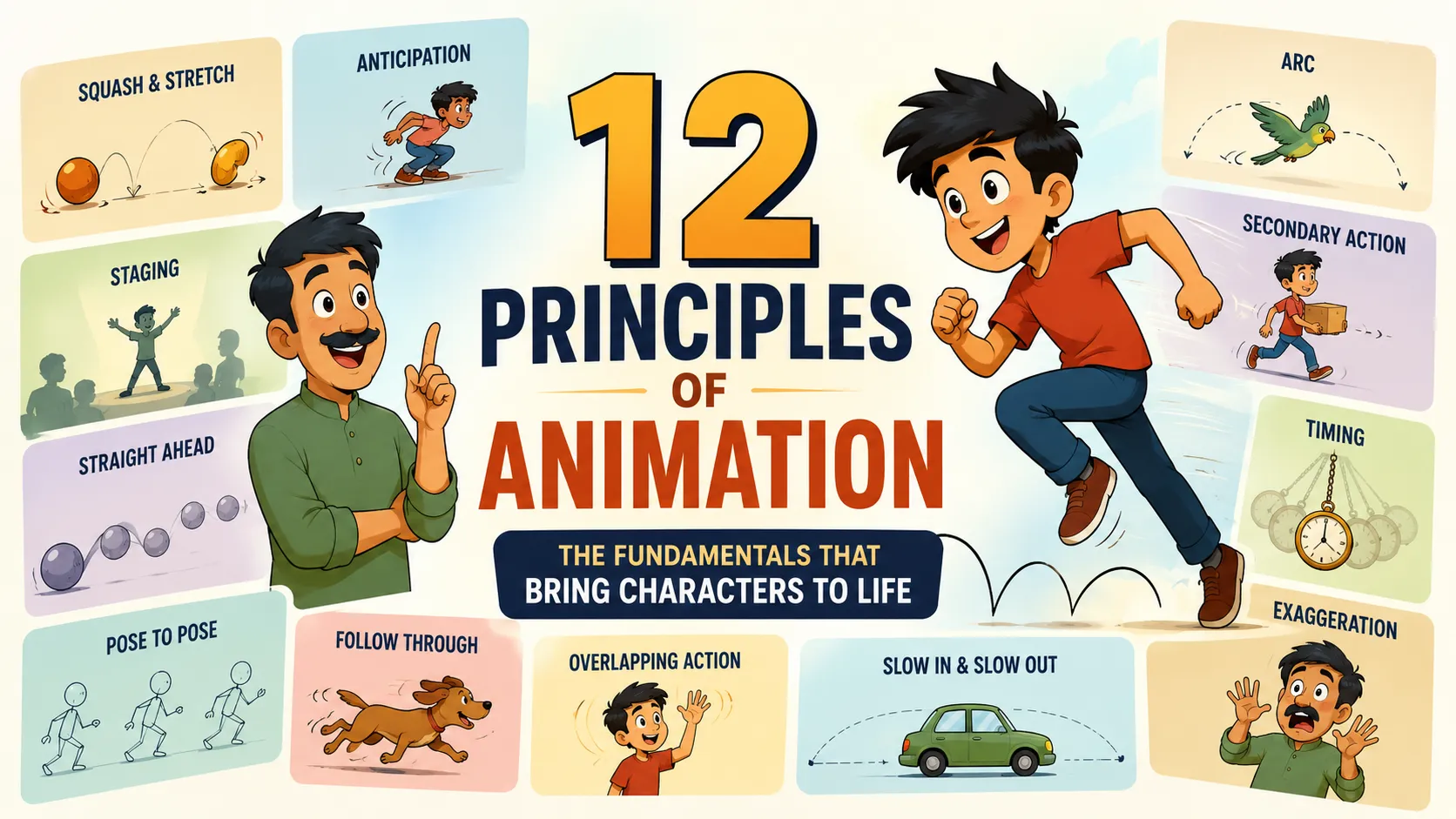
The 12 Principles of Animation are the foundation of great animation. Whether you're creating 2D character animation, motion graphics, cartoons, explainer videos, advertisements, or animated films, these principles help make movement feel natural, believable, expressive, and engaging.
You can have beautiful illustrations, impressive visual effects, and powerful animation software—but if the movement doesn't feel right, the animation won't feel professional.
That's why learning the 12 principles of animation is one of the most important steps for anyone learning animation.
In this guide, we'll explain all 12 animation principles in simple language, with practical examples and tips for understanding how professional animators use them.
What Are the 12 Principles of Animation?
The 12 principles of animation were developed by Disney animators Ollie Johnston and Frank Thomas and were famously documented in their 1981 book The Illusion of Life: Disney Animation.
The principles were created to help animators create movement that feels convincing and expressive.
The 12 principles are:
- Squash and Stretch
- Anticipation
- Staging
- Straight Ahead Action and Pose to Pose
- Follow Through and Overlapping Action
- Slow In and Slow Out
- Arcs
- Secondary Action
- Timing
- Exaggeration
- Solid Drawing
- Appeal
Although they originated in traditional character animation, these principles are still extremely relevant to modern 2D animation, motion design, UI animation, explainer videos, and digital animation.
Let's understand each one.
1. Squash and Stretch
Squash and Stretch is one of the most recognizable principles of animation.
It gives objects and characters a sense of weight, flexibility, elasticity, and physicality.
Imagine a rubber ball falling from the air.
When the ball hits the ground, it squashes.
When it quickly moves upward, it stretches.
Without squash and stretch, the ball may simply look like it's teleporting between positions.
With squash and stretch, the viewer can understand the force and energy behind the movement.
Example
Imagine three states:
Normal
A round ball.
Squash
The ball becomes shorter and wider when it hits the ground.
Stretch
The ball becomes taller and narrower when moving rapidly.
The shape changes, but the animation still feels like the same object.
Why Does Squash and Stretch Matter?
Squash and stretch communicates:
- Weight
- Speed
- Impact
- Flexibility
- Force
- Elasticity
- Emotion
It is not limited to cartoon animation.
You can use subtle squash and stretch in:
- Logo animation
- UI buttons
- Icons
- Text animation
- Character animation
- Product animation
- Motion graphics
The Important Rule: Preserve Volume
One common beginner mistake is changing the shape without maintaining the object's perceived volume.
For example, if a character's face becomes wider, it should generally become shorter at the same time.
Otherwise, the character can appear to inflate rather than squash.
Realistic vs Cartoon Squash and Stretch
Squash and stretch doesn't always need to be dramatic.
A realistic animation might use very subtle deformation.
A cartoon can use extreme deformation.
The principle remains the same:
The deformation should communicate the movement.
2. Anticipation
Anticipation is the movement that prepares the audience for an upcoming action.
Before something significant happens, there is often a small preparation movement.
Think about a character jumping.
They usually bend their knees before pushing themselves upward.
That bending movement is anticipation.
Without Anticipation
Stand → Jump
The action can feel sudden.
With Anticipation
Stand → Bend → Jump
The viewer understands that the character is preparing to move.
Why Is Anticipation Important?
Anticipation helps the audience understand:
- What is about to happen
- Where the character is going
- What action is being performed
- How powerful the action will be
It also makes animation easier to read.
Examples of Anticipation
A character:
- Pulls their arm backward before throwing
- Looks toward an object before grabbing it
- Bends before jumping
- Pulls back before punching
- Leans backward before running forward
Anticipation can also be used in motion graphics.
For example, a button could slightly compress before expanding.
A logo could move backward before rapidly launching forward.
Anticipation Is About Communication
The purpose isn't simply to add extra movement.
The purpose is to prepare the viewer's brain.
A good animator asks:
"Does the audience understand what is about to happen?"
If the answer is no, anticipation may help.
3. Staging
Staging is about presenting an action, idea, or emotion clearly to the audience.
Think of staging as directing the viewer's attention.
A scene may contain multiple characters, objects, backgrounds, lights, effects, and movements.
But the audience should still know where to look.
Why Staging Matters
Imagine a character reacting to something important.
If the background is extremely busy, several objects are moving, and the character is placed in a corner, the reaction may become difficult to notice.
The animation might technically be good.
But the communication is weak.
Good staging solves this problem.
Staging Can Use:
- Composition
- Camera angle
- Character position
- Lighting
- Contrast
- Color
- Silhouette
- Scale
- Movement
- Focus
Example
Suppose a character discovers something surprising.
Instead of placing the character among dozens of competing elements, you can:
- Simplify the background
- Position the character clearly
- Use a strong silhouette
- Pause the surrounding movement
- Direct the character's gaze toward the important object
Now the audience immediately understands the scene.
Staging in Motion Graphics
Staging is extremely important in modern motion design.
If you're animating a product, logo, headline, or UI element, ask:
What should the viewer notice first?
Then design the animation around that answer.
Good animation isn't just about movement.
It's also about visual communication.
4. Straight Ahead Action and Pose to Pose
This principle describes two different ways of creating animation.
Straight Ahead Action
The animator creates frames sequentially:
Frame 1 → Frame 2 → Frame 3 → Frame 4 → Frame 5...
The movement develops naturally as the animation progresses.
Advantages
Straight-ahead animation can create:
- Spontaneous movement
- Fluid motion
- Organic actions
- Unexpected poses
- Energetic animation
It's particularly useful for things such as:
- Fire
- Smoke
- Water
- Explosions
- Flowing cloth
- Organic movement
Pose to Pose
With pose-to-pose animation, the animator first creates the major poses.
For example:
Beginning → Key Pose → Contact → Final Pose
The important positions are established first.
Then the animator fills the movement between them.
Advantages
Pose-to-pose animation provides:
- Better control
- Clear storytelling
- Consistent character poses
- Easier timing adjustments
- Predictable results
This approach is commonly useful for character acting and dialogue.
Which One Is Better?
Neither approach is universally better.
Professional animation often combines both.
An animator might use pose to pose to establish the main performance and then use straight-ahead animation for secondary movement such as hair, clothing, smoke, or effects.
The important thing is choosing the right method for the type of movement you're creating.
5. Follow Through and Overlapping Action
When something moves, different parts don't always stop or change direction at exactly the same time.
That's where follow through and overlapping action come in.
Imagine someone running while wearing a long coat.
The person's body may suddenly stop.
But the coat continues moving for a moment.
That's follow through.
Follow Through
The parts of an object continue moving after the main body has stopped.
Examples include:
- Hair continuing to move
- Clothing swinging
- A character's ears moving
- A tail continuing after a turn
- Loose accessories reacting to movement
Overlapping Action
Overlapping action means different parts of a character or object move at slightly different times.
For example, when a character turns their head:
- Body begins turning
- Shoulders follow
- Head turns
- Hair catches up
- Accessories continue moving
Everything isn't perfectly synchronized.
That's what makes the movement feel natural.
Why It Matters
Without follow through and overlapping action, animation can feel:
- Stiff
- Mechanical
- Robotic
- Weightless
These principles introduce secondary motion and physical behavior.
6. Slow In and Slow Out
In real life, most objects don't instantly reach full speed.
They accelerate.
They also don't instantly stop.
They decelerate.
Slow in and slow out is the animation principle that represents this behavior.
Imagine a car.
It starts slowly.
Then becomes faster.
Eventually it slows down before stopping.
Animation can use the same idea.
Linear Movement
If an object moves the same distance between every frame, it can feel mechanical.
Slow In and Slow Out
The object has:
- More closely spaced frames near the beginning
- Wider spacing during faster movement
- More closely spaced frames near the end
This creates acceleration and deceleration.
Where Is It Used?
Slow in and slow out is useful for:
- Character movement
- Camera animation
- UI transitions
- Logo animation
- Text animation
- Object movement
- Motion graphics
Important Note
Not every movement needs a smooth ease.
A fast action may need very sharp timing.
A button might need a quick snap.
A heavy object might accelerate slowly.
The principle isn't:
"Always use smooth easing."
It's:
"Choose the acceleration and deceleration that fit the movement."
7. Arcs
Most natural movements follow curved paths.
These curved paths are called arcs.
Consider how a person's hand moves.
The hand usually doesn't travel in a perfectly straight line.
Instead, it follows a natural curve created by the joints of the arm.
Examples of Arcs
Arcs can be seen in:
- Arm movements
- Head turns
- Walking
- Running
- Throwing
- Swinging
- Jumping
- Flying objects
Why Do Arcs Make Animation Better?
Straight-line movement can often feel mechanical.
Curved movement usually feels more organic.
For example:
Straight
A hand moves directly from Point A to Point B.
Arc
The hand travels through a smooth curved path.
The second movement often feels more natural.
Practical Animation Tip
When animating a character, imagine drawing an invisible line through the path of the moving body part.
If the hand, foot, head, or object suddenly changes direction without a reason, the movement may feel unnatural.
8. Secondary Action
A secondary action is an additional action that supports the primary action.
Imagine a character walking.
The primary action is:
Walking.
While walking, the character might:
- Look at their phone
- Wave at someone
- Whistle
- Adjust their glasses
- Move their arms
- Look around
These are secondary actions.
Why Secondary Action Matters
Secondary actions add:
- Personality
- Realism
- Character
- Storytelling
- Detail
They make characters feel like they're doing more than simply moving through a scene.
The Golden Rule
The secondary action should support the primary action, not compete with it.
If the audience notices the secondary action more than the main action, it may be too strong.
Example
Imagine a character walking sadly.
Their primary action is walking.
A secondary action could be:
- Head slightly lowered
- Shoulders moving slowly
- Hands inside pockets
These subtle movements reinforce the emotion.
9. Timing
Timing determines how long an action takes.
It is one of the most important principles of animation because timing changes the meaning and emotion of movement.
Imagine a ball falling.
If it reaches the ground very quickly, it can feel:
Fast, energetic, light, sudden.
If it takes several seconds, it can feel:
Heavy, slow, dramatic, or exaggerated.
The movement may be similar, but the timing completely changes the experience.
Timing Can Communicate Weight
A heavy object generally takes more effort to move.
A lightweight object can change direction quickly.
By controlling timing, an animator can make the viewer believe an object has weight even though it is only a drawing.
Timing Can Communicate Emotion
Fast timing can suggest:
- Excitement
- Panic
- Energy
- Surprise
- Urgency
Slow timing can suggest:
- Sadness
- Calmness
- Importance
- Heaviness
- Suspense
Timing Creates Personality
Two characters can perform exactly the same action with completely different timing.
One might be energetic.
Another might be lazy.
Another might be nervous.
This is why timing isn't simply a technical setting.
Timing is storytelling.
10. Exaggeration
Animation often needs to go beyond reality.
That's where exaggeration comes in.
If a character is surprised in real life, their reaction might be relatively subtle.
In animation, the reaction can become much stronger.
The eyes widen.
The mouth opens.
The body moves backward.
The pose becomes bigger.
The emotion becomes instantly readable.
Why Exaggeration Works
Animation is a visual language.
The audience needs to understand what's happening quickly.
Exaggeration helps communicate:
- Emotion
- Impact
- Speed
- Personality
- Comedy
- Energy
Exaggeration Doesn't Mean Randomness
A common misunderstanding is that exaggeration means making everything extreme.
It doesn't.
Good exaggeration is intentional.
You exaggerate the part of the action that communicates the idea.
Example
If a character is tired, exaggeration might mean:
- Drooping shoulders
- Heavy eyelids
- Slow movement
- Slumped posture
The pose becomes more readable without becoming meaningless.
11. Solid Drawing
Solid drawing refers to creating drawings that feel structurally believable.
Even though animation is two-dimensional, characters and objects need to feel like they have:
- Volume
- Weight
- Balance
- Depth
- Perspective
- Three-dimensional structure
Why Solid Drawing Matters
Imagine a character turning their head.
If their face suddenly becomes a completely different shape from one frame to another, the animation can feel inconsistent.
The viewer may feel that the character's head is changing rather than rotating.
Solid drawing helps maintain consistency.
Important Skills
Solid drawing involves understanding:
- Perspective
- Anatomy
- Form
- Proportion
- Balance
- Construction
- Gesture
You don't necessarily need highly realistic drawing skills.
Even stylized animation benefits from a strong understanding of form.
Digital Animation and Solid Drawing
Solid drawing remains relevant even when you're working with:
- Vector graphics
- Rigged characters
- Motion graphics
- Digital puppets
- 2D software
The tools may change.
The underlying principle doesn't.
12. Appeal
The final principle is Appeal.
Appeal means creating characters, designs, poses, and animation that the audience finds interesting and engaging.
It does not simply mean making something beautiful.
A villain can have appeal.
A strange creature can have appeal.
A simple geometric character can have appeal.
What Creates Appeal?
Appeal can come from:
- Interesting shapes
- Strong silhouettes
- Clear personality
- Good proportions
- Unique poses
- Visual contrast
- Expressive faces
- Simplified design
Character Silhouette
One useful test is to look at a character as a solid black silhouette.
Can you still understand the pose?
If yes, the design probably has strong visual clarity.
Appeal in Motion Design
Appeal isn't limited to characters.
A logo animation can have appeal through:
- Interesting motion
- Strong composition
- Unexpected transitions
- Elegant timing
- Distinctive shapes
- Memorable movement
The goal is to make the viewer want to keep watching.
How the 12 Principles Work Together
The most important thing to understand is that these principles aren't isolated rules.
Professional animation usually combines several principles at the same time.
Consider a simple character jumping.
Before the Jump
Anticipation
The character bends down.
During the Jump
Timing
Controls how quickly the character rises.
Arcs
Control the movement path.
Squash and Stretch
Can communicate the force of the jump.
At the Highest Point
Slow In and Slow Out
The character slows before changing direction.
During the Landing
Squash and Stretch
Communicates impact.
After Landing
Follow Through
Clothing, hair, or other elements continue moving.
Throughout the Scene
Staging
Makes sure the jump is clearly visible.
Exaggeration
Makes the action readable.
Secondary Action
Adds character.
Appeal
Keeps the design interesting.
This is why the principles become much more powerful when used together.
The 12 Principles of Animation Cheat Sheet
| Principle | What It Does |
|---|---|
| Squash & Stretch | Creates weight and flexibility |
| Anticipation | Prepares the audience for an action |
| Staging | Directs the viewer's attention |
| Straight Ahead & Pose to Pose | Defines different animation approaches |
| Follow Through & Overlapping Action | Creates natural secondary movement |
| Slow In & Slow Out | Creates acceleration and deceleration |
| Arcs | Makes movement feel natural |
| Secondary Action | Adds personality and detail |
| Timing | Controls speed, weight, and emotion |
| Exaggeration | Makes actions and emotions clearer |
| Solid Drawing | Creates believable form and structure |
| Appeal | Makes characters and animation engaging |
Why Are the 12 Principles of Animation Important?
The 12 principles are important because they give animators a framework for creating believable movement.
Without understanding these principles, animation can easily become:
- Stiff
- Robotic
- Weightless
- Difficult to understand
- Visually boring
- Inconsistent
Learning the principles doesn't automatically make someone a great animator.
But they give you the vocabulary to understand why movement works or doesn't work.
Instead of saying:
"This animation doesn't feel right."
You can identify the problem.
Maybe:
- The timing is too slow.
- The spacing is too even.
- There is no anticipation.
- The arcs are incorrect.
- There is no follow through.
- The staging is unclear.
That ability to diagnose movement is extremely valuable.
Are the 12 Principles Only for 2D Animation?
No.
Although the principles were developed from traditional animation practices, they can be applied to many types of animation.
They are useful in:
2D Character Animation
For:
- Walk cycles
- Acting
- Facial expressions
- Body mechanics
- Dialogue
Motion Graphics
For:
- Typography
- Logo animation
- Shape animation
- Transitions
- Explainer videos
UI Animation
For:
- Buttons
- Menus
- Micro-interactions
- Loading animations
- Page transitions
3D Animation
The same principles can also help animators create convincing 3D movement.
The medium changes.
The fundamental ideas about movement, timing, staging, and storytelling remain relevant.
The Best Way to Learn the 12 Principles
Don't try to master all 12 principles at once.
Start with simple movement.
A bouncing ball can teach you:
- Squash and stretch
- Timing
- Slow in and slow out
- Arcs
- Exaggeration
Then move toward more complex exercises.
You can gradually practice:
Bouncing Ball → Pendulum → Simple Object → Walk Cycle → Character Acting → Full Scene
The goal isn't to memorize definitions.
The goal is to develop an instinct for movement.
Eventually, you should be able to watch an animation and immediately recognize what is working and what isn't.
Common Mistakes Beginners Make
1. Using Every Principle at Once
More animation doesn't automatically mean better animation.
Use principles intentionally.
2. Overusing Squash and Stretch
Too much deformation can make an object feel rubbery when it should feel solid.
Match the amount of deformation to the object's material.
3. Making Everything Smooth
Smooth animation isn't always good animation.
Sometimes a sharp, fast movement communicates more effectively.
4. Ignoring Staging
Even great animation can fail if the viewer doesn't know where to look.
Always consider the composition.
5. Making Every Part Move Together
Perfect synchronization often creates robotic movement.
Introduce overlap and follow-through where appropriate.
6. Confusing Exaggeration With Random Movement
Exaggeration should strengthen the idea.
It shouldn't make the animation chaotic.
Final Thoughts
The 12 principles of animation have remained relevant for decades because they aren't really about a specific software or animation style.
They're about something much more fundamental:
How movement communicates.
Squash and stretch gives objects physicality.
Anticipation prepares the viewer.
Staging creates clarity.
Timing creates rhythm and emotion.
Arcs create natural movement.
Follow through adds life.
Exaggeration makes ideas readable.
Appeal makes animation memorable.
Once you understand these principles, you'll begin seeing animation differently.
You'll stop thinking only about what moves and start thinking about how, when, why, and why it feels the way it does.
And that's the foundation of good animation.
Frequently Asked Questions About the 12 Principles of Animation
What are the 12 principles of animation?
The 12 principles are Squash and Stretch, Anticipation, Staging, Straight Ahead Action and Pose to Pose, Follow Through and Overlapping Action, Slow In and Slow Out, Arcs, Secondary Action, Timing, Exaggeration, Solid Drawing, and Appeal.
Who created the 12 principles of animation?
The principles were developed by Disney animators Ollie Johnston and Frank Thomas and popularized through their 1981 book The Illusion of Life: Disney Animation.
Are the 12 principles of animation still relevant?
Yes. The principles remain useful for traditional 2D animation, digital animation, motion graphics, UI animation, character animation, and 3D animation.
Which animation principle is the most important?
There isn't one single most important principle. Timing and spacing are fundamental to movement, while principles such as anticipation, staging, and squash and stretch help communicate action clearly.
What should I learn first from the 12 principles?
Beginners can start with Squash and Stretch, Anticipation, Timing, Slow In and Slow Out, and Arcs. These provide a strong foundation for understanding movement.
Do I need to know drawing to understand the 12 principles?
Not necessarily. Some principles, such as Solid Drawing, benefit from drawing knowledge, but many principles—including timing, anticipation, staging, arcs, and follow through—can be learned without advanced drawing skills.
Can the 12 principles be used in motion graphics?
Absolutely. Timing, anticipation, staging, easing, exaggeration, secondary action, and appeal are especially useful when creating logos, typography, transitions, explainer videos, and other motion graphics.
Why does my animation look robotic?
Robotic animation is often caused by overly uniform timing, limited anticipation, lack of overlapping action, straight movement paths, or insufficient variation in timing and spacing. Applying the principles of animation can help identify and solve these issues.